
Digital Eye Strain in Long Island Commuters: Relief Strategies for LIRR Screen Time
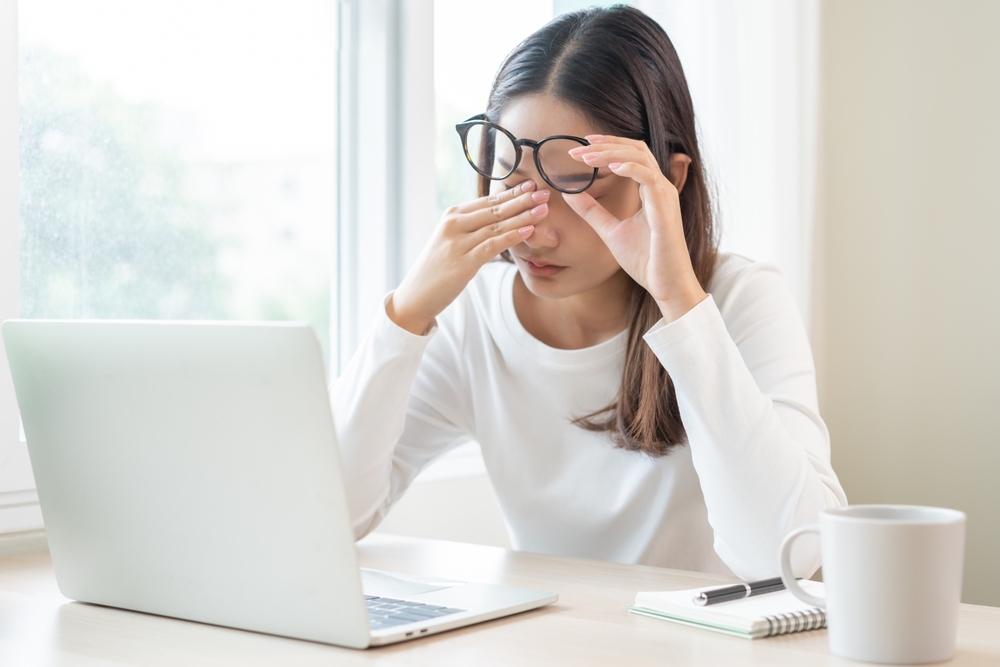
For many Long Island commuters, riding the Long Island Rail Road (LIRR) means spending extra time checking emails, reading news, or scrolling through a smartphone. While screen time can make the commute more productive or entertaining, prolonged device use may contribute to digital eye strain, dry eyes, headaches, and blurry vision.
At Vision for Life, we help patients in Valley Stream and throughout Long Island manage digital eye strain and maintain comfortable vision during their daily routines.
Why LIRR Commuters Experience Digital Eye Strain
Digital eye strain, also called computer vision syndrome, occurs when prolonged screen use places increased demands on the eyes. Reading small text, focusing at close distances, and switching between a phone and surrounding objects can contribute to visual fatigue.
Several factors make train commutes particularly challenging. Looking down at a smartphone for extended periods can increase focusing demands, while reduced blinking during screen use may contribute to dry eyes. Glare from train windows and reflections on screens can also make viewing uncomfortable.
For commuters traveling between Long Island and New York City, these symptoms may become more noticeable after a full workday involving additional computer use.
Common Symptoms of Digital Eye Strain
Digital eye strain can affect visual comfort during and after your commute. Common symptoms include:
Dry, burning, or irritated eyes after prolonged screen use
Blurry vision when looking away from a smartphone
Headaches or discomfort around the eyes
Difficulty maintaining focus while reading small text
Increased sensitivity to screen glare or bright lighting
Although these symptoms often improve with rest, persistent discomfort may indicate an underlying vision issue or dry eye condition that requires professional evaluation.
Practical Ways to Reduce Eye Strain During Your Commute
Long Island commuters can make simple adjustments to reduce eye strain while using digital devices.
Follow the 20-20-20 Rule
Every 20 minutes, look at something approximately 20 feet away for at least 20 seconds. Looking out the train window at distant objects can provide a convenient opportunity to relax your focusing system.
Adjust Your Screen Settings
Increase text size to avoid squinting and adjust screen brightness to match your surroundings. Reducing glare and maintaining comfortable contrast may help minimize visual discomfort.
Remember to Blink
People tend to blink less frequently when concentrating on screens. Make a conscious effort to blink fully and regularly to help maintain a stable tear film.
Take Screen-Free Breaks
Consider listening to music, podcasts, or audiobooks during part of your commute. Giving your eyes regular breaks from close-up screen use may help reduce visual fatigue.
When Should You Schedule an Eye Exam?
If you frequently experience headaches, blurry vision, or dry eyes after commuting, a comprehensive eye exam can help identify contributing factors.
At Vision for Life, we evaluate visual clarity, focusing ability, and overall eye health to determine whether prescription changes, dry eye treatment, or other personalized recommendations may improve comfort.
Even minor vision problems can become more noticeable during extended screen use. Addressing these concerns can help make commuting and daily computer work more comfortable.
Schedule an Eye Exam in Valley Stream, NY
If your daily LIRR commute leaves your eyes feeling tired, dry, or uncomfortable, our team can help. Contact Vision for Life in Valley Stream, NY, at (516) 825-7455 to schedule a comprehensive eye exam and learn how to manage digital eye strain.
Quick Links

All Eye
Care Services

Keep
In Touch
Contact Us
Find a Locations
Near You


Babylon

Monday Closed
Tuesday 9:30am - 5:30pm
Wednesday 9:30am - 5:30pm
Thursday 9:30am - 6:30pm
Friday 9:00am - 5:00pm
Saturday 8:00am - 2:00pm
Sunday Closed
Tuesday 9:30am - 5:30pm
Wednesday 9:30am - 5:30pm
Thursday 9:30am - 6:30pm
Friday 9:00am - 5:00pm
Saturday 8:00am - 2:00pm
Sunday Closed
Huntington
Monday 9:00am - 6:00pm
Tuesday 8:00am - 4:00pm
Wednesday 9:00am - 5:00pm
Thursday 9:00am - 5:00pm
Friday 8:00am - 2:00pm
Saturday 8:00am - 2:00pm
Sunday Closed
Tuesday 8:00am - 4:00pm
Wednesday 9:00am - 5:00pm
Thursday 9:00am - 5:00pm
Friday 8:00am - 2:00pm
Saturday 8:00am - 2:00pm
Sunday Closed
Valley Stream
Monday 11:00am - 7:00pm
Tuesday 9:00am - 5:30pm
Wednesday 9:00am - 5:30pm
Thursday 10:00am - 6:30pm
Friday 9:00am - 5:00pm
Saturday 8:00am - 2:00pm
Sunday Closed
Tuesday 9:00am - 5:30pm
Wednesday 9:00am - 5:30pm
Thursday 10:00am - 6:30pm
Friday 9:00am - 5:00pm
Saturday 8:00am - 2:00pm
Sunday Closed
© 2026 Vision Source Signature Eye Care. All Rights Reserved. Accessibility Statement - Privacy Policy
